INtellitrack
INtellitrack
Redesigned IntelliTrack's fragmented RMA workflow into a guided enterprise experience by identifying critical operational friction through stakeholder research and behavioral analytics.
time
August 2025 – May 2026
role
Design Lead & Project Manager
TEAM
7 UX Designers, IntelliTrack Stakeholders
project type
Enterprise UX
Workflow Design
Information Architecture
Information Architecture
Behavioral Analytics
AI-Assisted Workflow



context
Managing enterprise assets at scale.
IntelliTrack helps organizations manage inventory, repairs, returns, shipments, and lifecycle operations. As part of a 10-month partnership with DecisionPoint Technologies, our team was brought in to evaluate the platform and identify opportunities to improve critical operational workflows.
Through stakeholder conversations and behavioral analysis, we set out to understand how enterprise teams actually navigated the system and where friction emerged in day-to-day operations.

problem
The return management workflow lacked visibility, requiring users to navigate across multiple screens and workflow states.
Return requests are one of IntelliTrack's most critical operational workflows, involving shipments, repairs, approvals, and multiple stakeholders. As the platform evolved, information became fragmented across the system, making it difficult for users to understand request progress, track assets, and identify next steps efficiently.
Redesign at a glance
Design outcomes
4-Step
Guided RMA creation flow
5 Major
Edge cases supported
1 Centralized
Tracking experience
100%
Return lifecycle visibility
PROCESS & Research STRATEGY
Understanding the Product
Understanding User Behavior
High-Impact Workflow Identified
01 / Product grounding
Breaking down a complex enterprise ecosystem of 130+ screens, workflows, navigation paths, and operational states before redesigning it.
Information Architecture
Mapped screens, workflows, and navigation hierarchy.
Heuristic Evaluation
Audited usability using Nielsen's Heuristics to uncover workflow and navigation gaps.

Competitor Analysis
Analyzed enterprise competitors to understand industry trends, UX patterns, and opportunities for differentiation.
Direct Competitors

Indirect Competitors
Traditional Tracking
Intelligent Lifecycle Mgmt
key findings
Buried RMA Entry Points
RMA creation and tracking were buried beneath multiple layers of navigation, making key tasks hard to discover.
Inconsistent Interaction Patterns
Tables, forms, and workflow actions followed inconsistent patterns, forcing users to relearn interactions across modules.
Limited System Feedback
Validation rules, workflow states, and action outcomes were not always clear, creating uncertainty during task completion.
02 / User behavior
Designed a research plan combining surveys, interviews, and workflow mapping to uncover user needs and behaviors.
INITIAL RESEARCH STRATEGY
Step 01
Surveys
Survey plan and feedback forms prepared
Step 04
Identifying Key Workflows
Step 03
User Personas & Journey Mapping
Step 02
Contextual Interviews
Scripts prepared for internal stakeholders and client users
Not everything went according to plan. With limited access to end users, we had to quickly adapt our research strategy and look for other ways to understand real user behavior.
ADAPTIVE RESEARCH STRATEGY
STEP 01
Internal Stakeholder Interviews
Account managers supporting Intellitrack’s enterprise users
STEP 02
User Behaviour & Pattern Analysis
Behavioural data collected through Microsoft Clarity
Step 03
Identifying Key Workflows
User Personas & Journey Mapping
Surveys
User’s Contextual Interviews

internal stakeholder interviews

Account Manager Operational Assets
FINDINGS
Important information was spread across multiple screens.
Workflows required excessive scrolling and tab switching.
Terminology like “Site” and “Location” caused confusion.

Account Manager
IT Assets
FINDINGS
Users relied heavily on guidance during workflows.
Renewal and return processes lacked visibility.
IntelliTrack capabilities were not clearly communicated.
Conducted affinity mapping to synthesize interview insights and identify key themes
BEHAVIOURAL ANALYSIS through Microsoft Clarity


Session Recordings
Heatmaps
Click Patterns
Scroll behaviour

WHY THIS MATTERS
Behavioral patterns revealed that IntelliTrack users relied heavily on search-first navigation and repeated table scanning to complete operational tasks
MICROSOFT CLARITY · FIRST-CLICK DISTRIBUTION
Operational workflows were heavily search-driven
11.2%
Create Request
18.6%
Workflow Filters
19%
Status chips
51.4%
Search bar
2.0x
↗
1.7x
↗
4.6x
↗
key findings
Search became the primary navigation pattern (51.4% of first clicks)
Users treated table rows as workflow entry points
Frequently used workflows were buried beneath multiple layers

03 / identifying the opportunity
Synthesized insights from product analysis and user research to identify the workflow with the greatest opportunity for impact.
Stakeholder conversations
Workflow Mapping
Account Manager Interviews
Microsoft Clarity Behaviour
PRIMARY FOCUS
RMA
Workflow

The RMA workflow sits at the center of IntelliTrack’s asset lifecycle, connecting returns, repairs, replacements, shipments, and approvals across multiple stakeholders. Improving this experience had the potential to influence several interconnected operational workflows.
Design Solution
The final proposed experience shaped through iterative workflows, stakeholder feedback, and edge-case-driven design decisions.

AI-Assisted Rapid Workflow Iterations & Stakeholder Alignment Sessions
AI-Assisted Rapid Workflow Iterations & Stakeholder Alignment Sessions
Rapid clickable prototyping and continuous stakeholder feedback over a month-long iterative process helped refine complex workflows and uncover emerging operational edge cases
Rapid clickable prototyping and continuous stakeholder feedback over a month-long iterative process helped refine complex workflows and uncover emerging operational edge cases
Building an MUI-Based Design System Foundation
Building an MUI-Based Design System Foundation
Introduced a scalable Material UI component system while expanding IntelliTrack’s brand colors and typography through accessibility-focused enterprise design standards.
Introduced a scalable Material UI component system while expanding IntelliTrack’s brand colors and typography through accessibility-focused enterprise design standards.
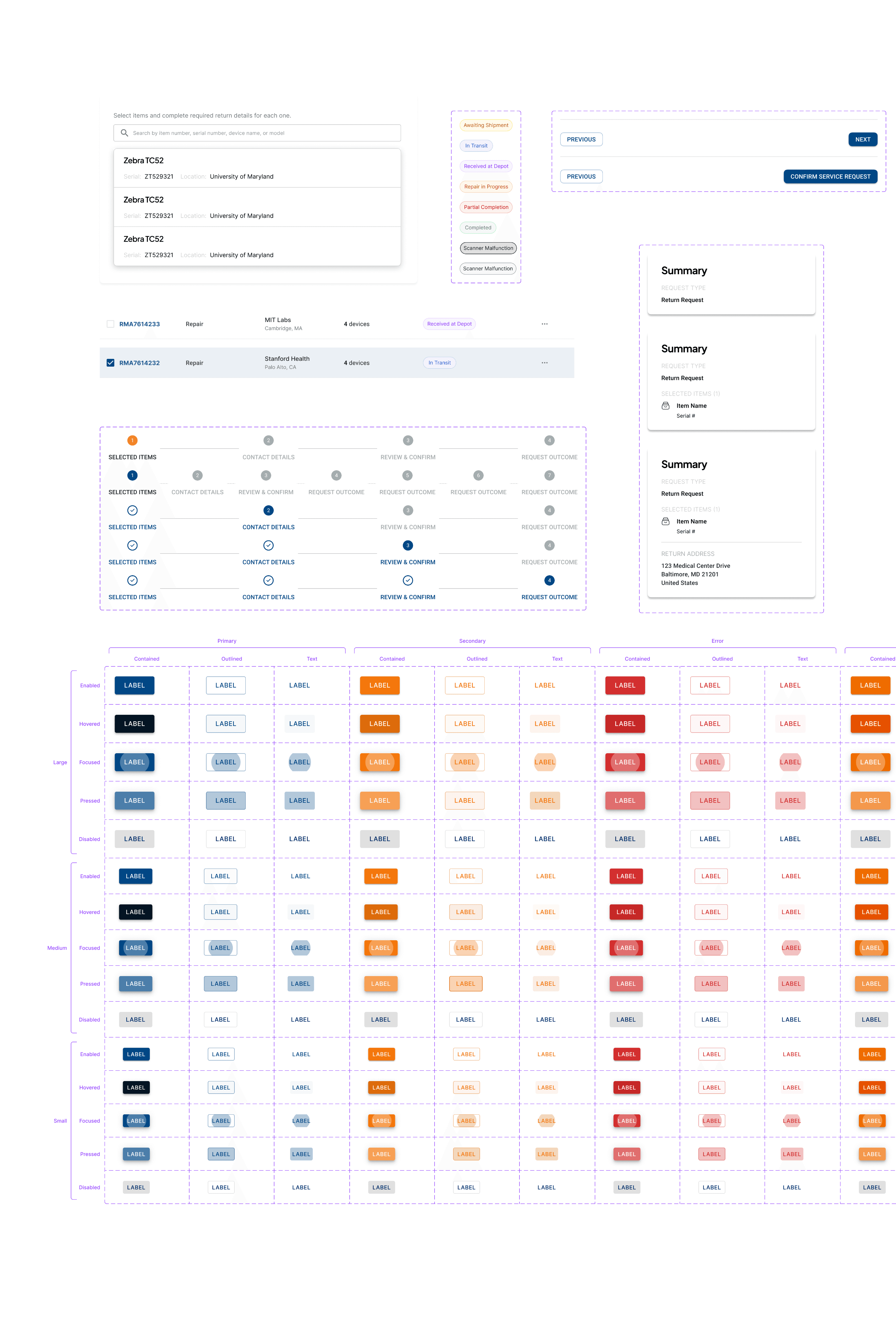
Applying Branded MUI Components to Finalized Workflows
Applying Branded MUI Components to Finalized Workflows
Final workflow iterations were transformed into structured, development-ready interfaces using reusable Material UI patterns and branded components.
Final workflow iterations were transformed into structured, development-ready interfaces using reusable Material UI patterns and branded components.


core workflows
Navigation Architecture
Before
02
02
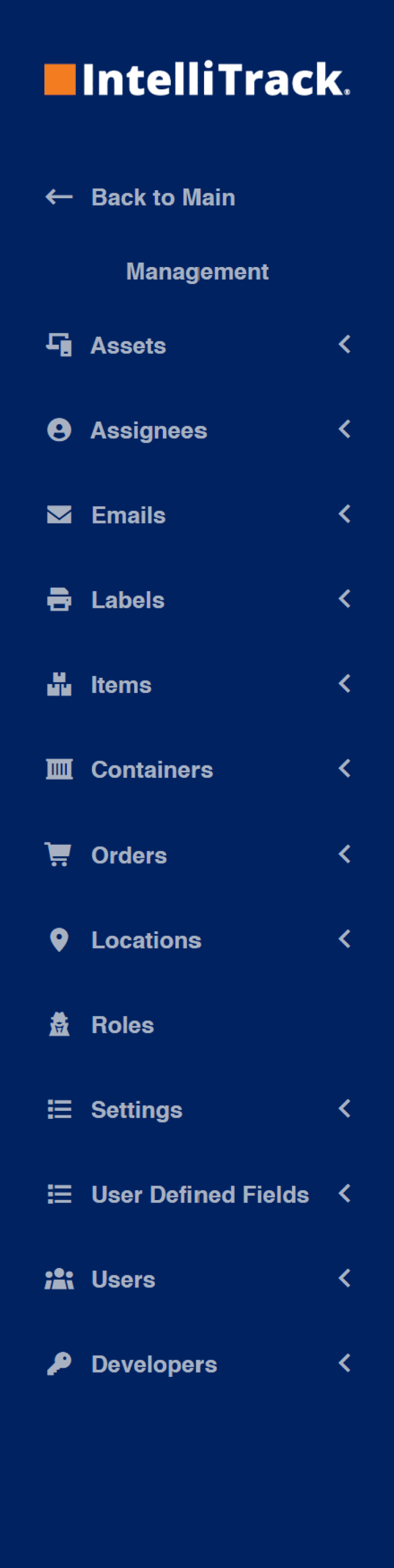
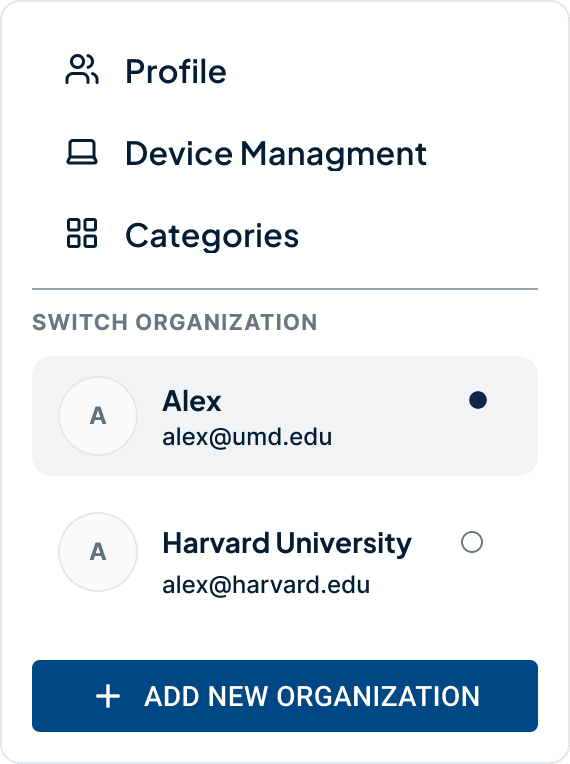
The Management section lacked clear differentiation and behaved inconsistently from the primary navigation.
The Management section lacked clear differentiation and behaved inconsistently from the primary navigation.
01
01
Nested workflows lacked active-state visibility
Nested workflows lacked active-state visibility
03
03
Persistent profile and organization details added unnecessary noise to already data-heavy interfaces
Persistent profile and organization details added unnecessary noise to already data-heavy interfaces



02
02
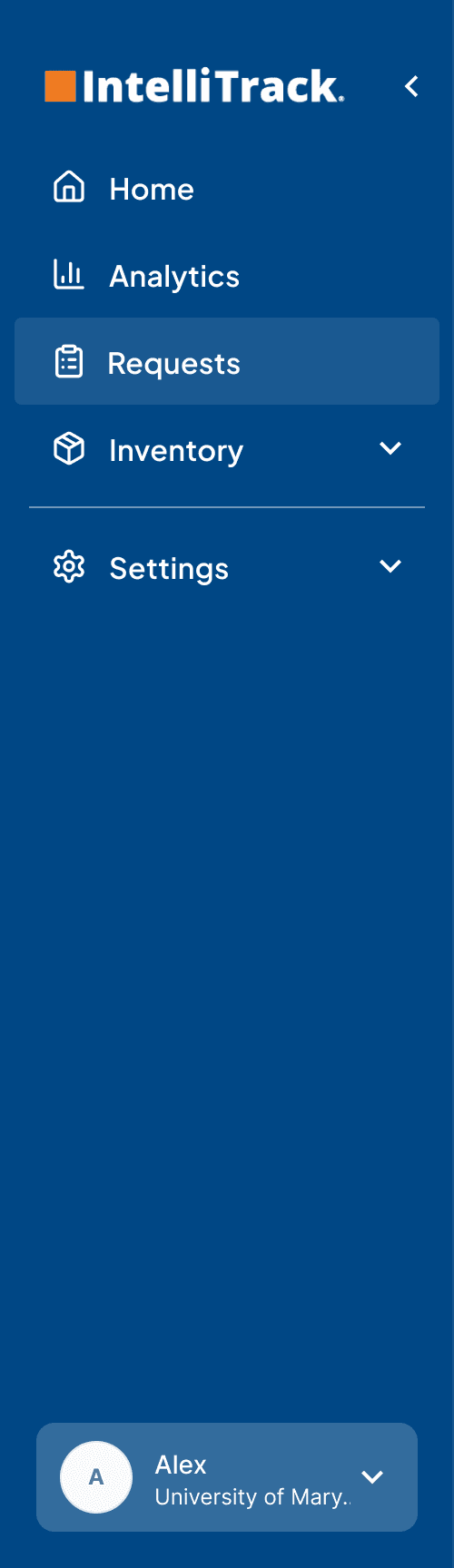
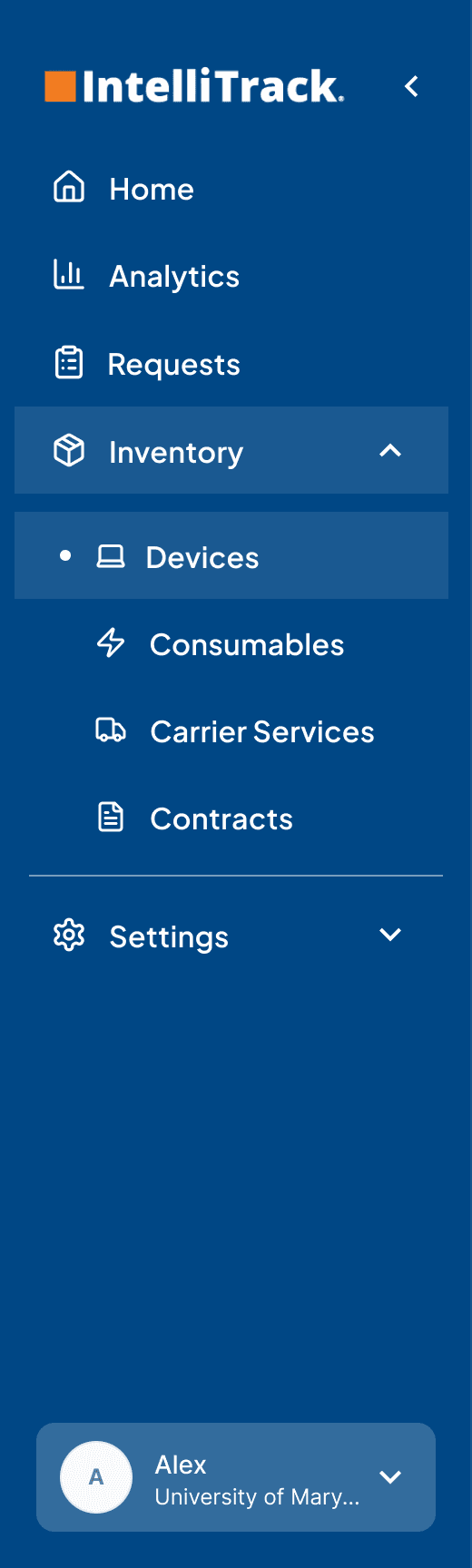
A visual divider clearly separated Settings from operational workflows.
A visual divider clearly separated Settings from operational workflows.
03
03
Profile and organization details were consolidated into the navigation to reduce interface clutter
Profile and organization details were consolidated into the navigation to reduce interface clutter
01
01
Improved hierarchy and active-state visibility
Improved hierarchy and active-state visibility
04
04
Management was restructured into a dedicated Settings architecture with persistent secondary navigation.
Management was restructured into a dedicated Settings architecture with persistent secondary navigation.
NOTE: Navigation content and labels are still evolving as IntelliTrack continues refining operational workflows and business requirements
NOTE: Navigation content and labels are still evolving as IntelliTrack continues refining operational workflows and business requirements
After
After
Create Return Request (RMA)
Step-by-step guidance keeps users informed while reducing decision-making effort and mental load.
Track Return Requests
Service request rows become entry points into detailed tracking, lifecycle visibility, and operational guidance.
01
01
Different variants of contextual status panel that updates based on the RMA lifecycle state, surfacing stage-specific actions and guidance.
Different variants of contextual status panel that updates based on the RMA lifecycle state, surfacing stage-specific actions and guidance.
02
02
Lifecycle tracking provides at-a-glance visibility
Lifecycle tracking provides at-a-glance visibility


01 / EDGE Case
Automatically grouped assets into separate RMAs based on destination, eliminating manual sorting and reducing user effort.

02 / EDGE Case
When repairs finished at different times, split return shipments were clearly represented with independent tracking under the same RMA.

Roadblocks & reflection
This project reinforced that enterprise UX is less about adding features and more about creating clarity within complex operational systems.
Edge cases should influence the core experience—not be treated as exceptions.
Continuous stakeholder collaboration leads to stronger, more practical design decisions.
Leveraging AI for repetitive tasks creates more time for workflow logic, systems thinking, and solving complex design problems.
Leading a multidisciplinary team strengthened project planning, stakeholder alignment and cross-functional decision making.
View the desktop version for the complete experience.
NDA
B2B/B2C
UX Design
Hiring Platform
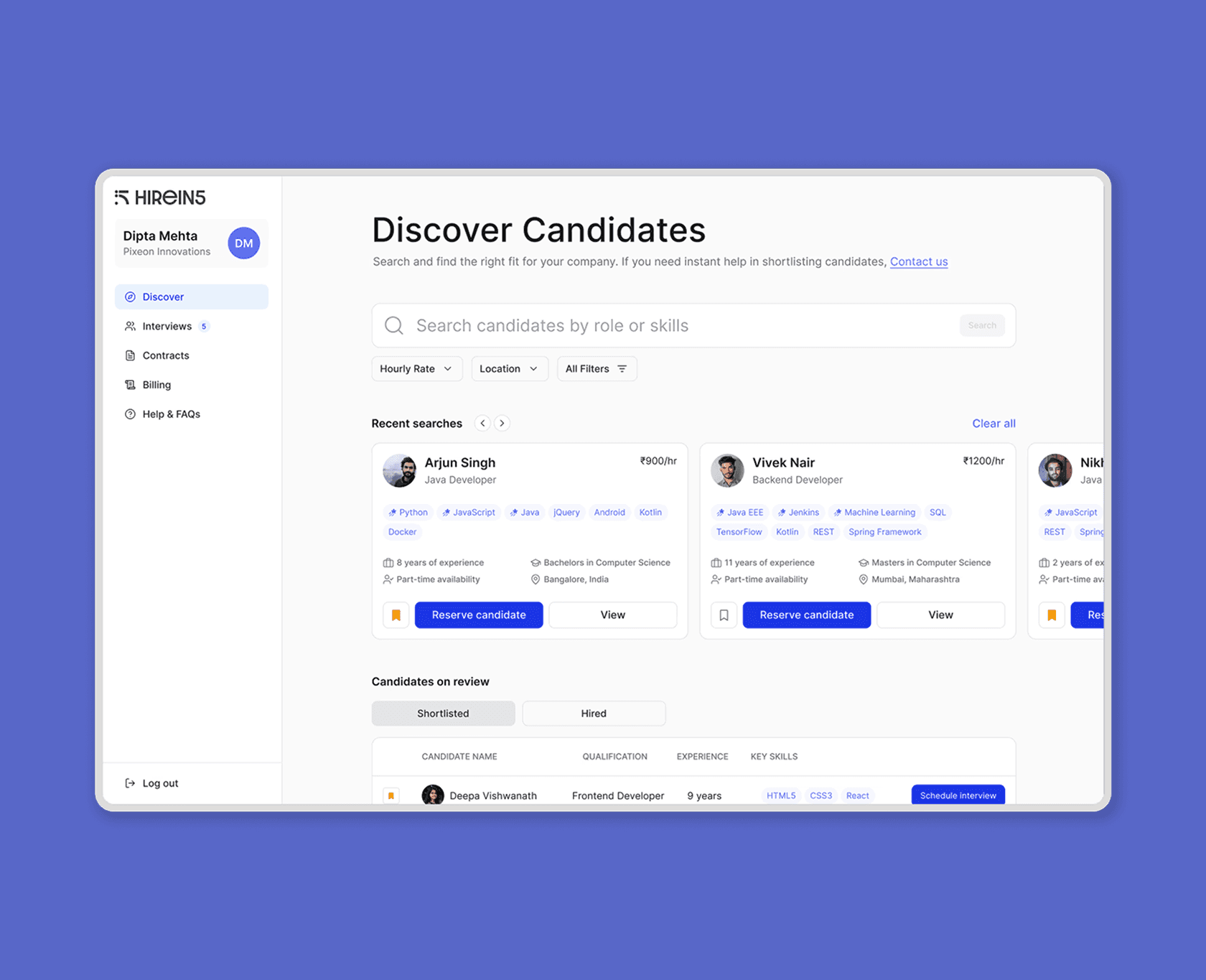
A streamlined hiring platform to simplify candidate discovery and evaluation.
Enterprise UX
Asset Management
Information Architecture
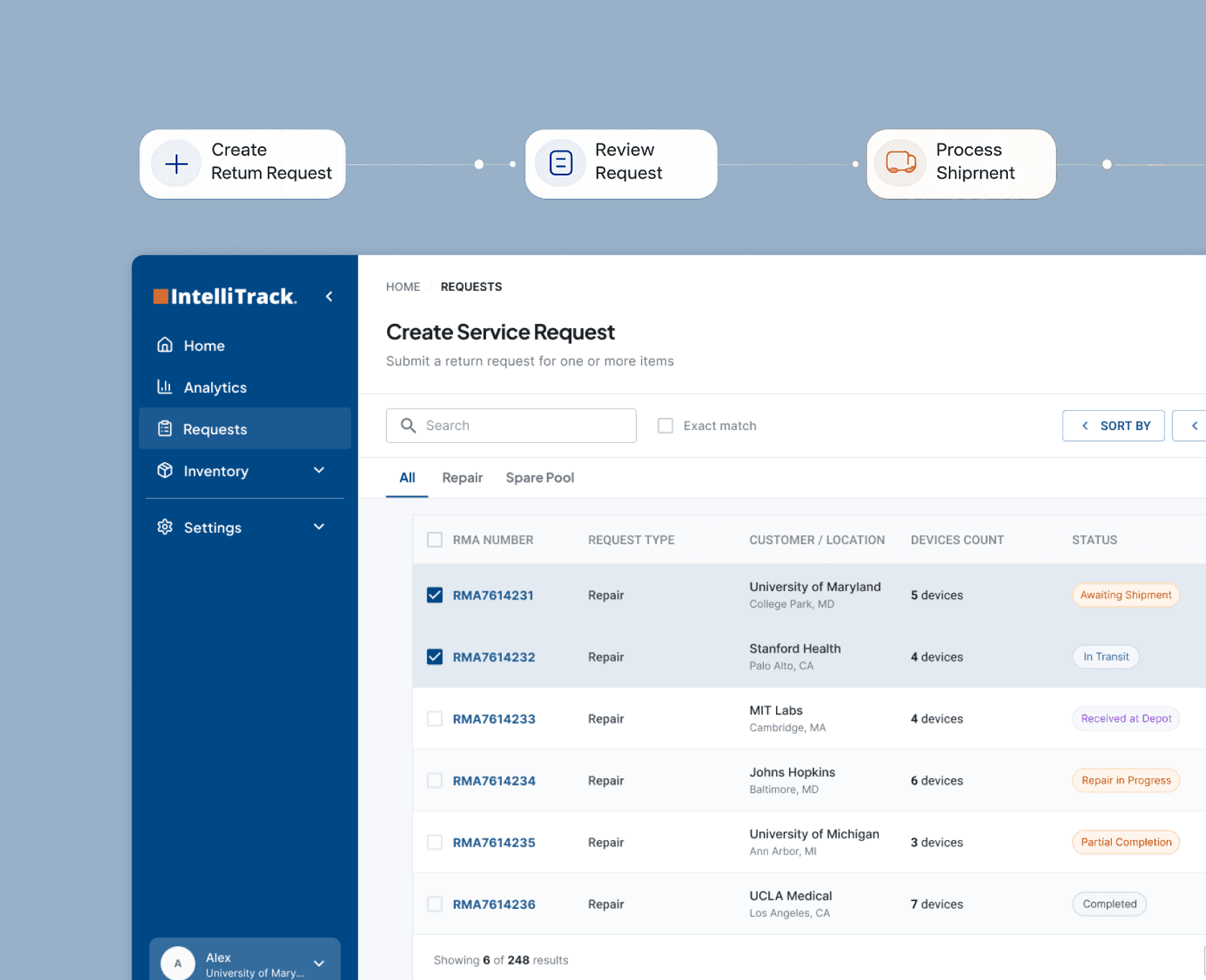
Making enterprise asset operations easier to manage
VR Product Design
Spatial UX
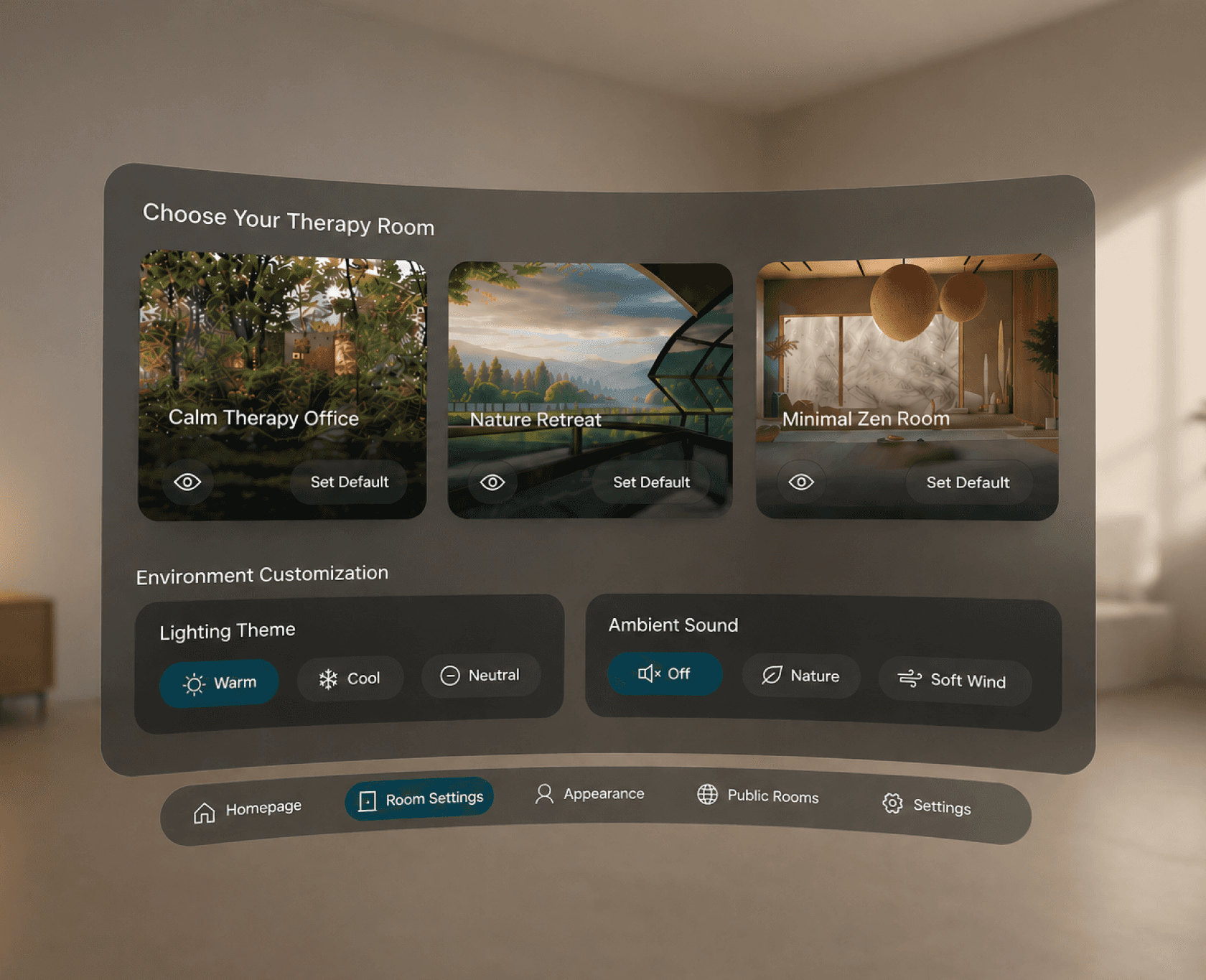
Designed immersive VR therapy experiences to enhance patient engagement and support therapist-led sessions.
Let’s build
something
intentional
impactful
scalable
Let’s build
something
intentional
impactful
scalable
Let’s build
something